One of their repeated benefits is that their undershirt stays tucked all day.
That exact phrasing appears consistently across their site and off it. In reviews, roundups, and community mentions.
And when I asked Google AI Mode about shirts that stay tucked all day, UnderFit appeared in the results.
Those repeated mentions everywhere made the benefit easy for the AI to associate with the brand.
Ready to build your brand messaging document?
Start by finding out what AI is already saying about you so you can reinforce it or fix it.
Open any LLM and ask the same questions your prospects are asking, such as:
What is “YOUR BRAND”?
What are the pros and cons of “YOUR PRODUCT?”
Is “YOUR BRAND” legit?
What you’ll see is your current AI narrative.
Now, evaluate it:
Is this the category you want to own?
Are these the benefits you want to emphasize?
Is anything inaccurate, outdated, or missing?
Once you know where you stand, you’ll know what to address.
Top tip: A quicker way is to use the Semrush AI Visibility Toolkit. You get the full picture at a glance, rather than piecing it together from multiple tools one by one.
Like this:
Structure Your Website for Easy Reading and Parsing
Showing up well across the internet is one part of the job.
But you must pair that with a website that’s easy for humans and LLMs to interpret.
We create tutorials and explainers to demonstrate expertise.
Compare that to an ecommerce brand like Vat19.
Their content is highly visual and product-focused. That’s because their goal is to sell their products.
One important point:
Don’t leave YouTube in a silo.
Your videos should link back to your site and direct viewers to pages that align with the video topic.
You can do this by referencing the links in the video itself.
Or adding relevant links in the descriptions.
The way food channel Pick Up Limes does it.
Side note: For affiliate or niche publishers, this is especially important. With search traffic declining, YouTube can act as a discovery engine. It can send qualified viewers directly to targeted pages on your niche website. Or straight to the publisher’s site, when appropriate.
Want to take action now?
If you don’t have a channel yet, start with competitor research.
Go Incognito and search for topics in your niche on YouTube.
There, analyze:
Which videos get the most views relative to subscriber size
Which topics are repeated across competitors
What formats perform best (tutorial, opinion, comparison, breakdown)
What the comments reveal about audience confusion or unmet demand
This gives you two things: signal and gap.
Signals show you what people care about.
Gaps show you where you can differentiate.
From there, you’ll have a clearer picture of the kind of YouTube content that makes sense for your brand.
Plus, how it should support your website strategy.
And when you’re ready to go deeper, we have YouTube guides covering everything from channel positioning to keyword research and content planning.
Reinforce Familiarity with Short Form Videos
Short-form videos build familiarity through repetition.
These are the clips on TikTok, Instagram Reels, YouTube Shorts, and LinkedIn.
Start with one platform.
Instagram Reels, YouTube Shorts, and TikTok are the most practical entry points.
All you need are your phone camera and the in-app editor.
Ignore the advanced setups for now.
In the beginning, momentum matters more than production.
Now the question in everyone’s mind:
What should I talk about?
Start by answering real customer questions.
Get them from sales calls, support emails, search queries, and recurring objections.
Or even better.
Jot down every question you hear about your product or service over the next week.
By the end of seven days, you’ll have a list of topics to talk about.
Not just any topic. But valuable topics that your buyers are genuinely interested in.
Google Discover is Google’s personalized content feed. The cards you see when you open the Google app on your phone.
Curated by Google, it often feels more like editorially crafted content than a traditional search result.
It’s worth optimizing for because it can send serious traffic spikes.
Like when Backlinko had two articles in Discover in a single month.
Create Google Discover-Focused Content
Google Discover shows content based on your interests and browsing behavior.
So the articles that appear usually match topics you’ve recently searched for or engaged with.
For example, if you’ve been searching for home workouts lately, Google might recommend an article like:
“The 15-Minute Routine That Replaced My Gym Membership”
So, how do you get your content picked up?
The good news: As long as your page is indexed, it can appear in Discover.
But getting your content picked up usually comes down to a few specific criteria:
High-quality images at 1200px minimum
Enabling max-image-preview:large in your meta tags
Content that’s timely or tied to high-interest topics
(From what I’ve seen, Discover also tends to favor established sites with strong domain authority and publishing track records.)
To get started with Discover, add a dedicated “Discover lane” to your content calendar.
This is content for interest-based discovery.
These topics typically:
Tie into something happening now
Respond to a recent update or shift
Address a debate gaining traction in your niche
Connect to a rising interest in your category
When writing for Discover, the content needs a clear angle with stakes.
It should also feel timely. Not necessarily breaking news, but connected to something current.
Like a new regulation hitting your industry, a brewing controversy, or a trend your audience is already tracking.
That sense of “why this matters now” aligns with how Discover picks content.
This doesn’t have to mean creating content from scratch.
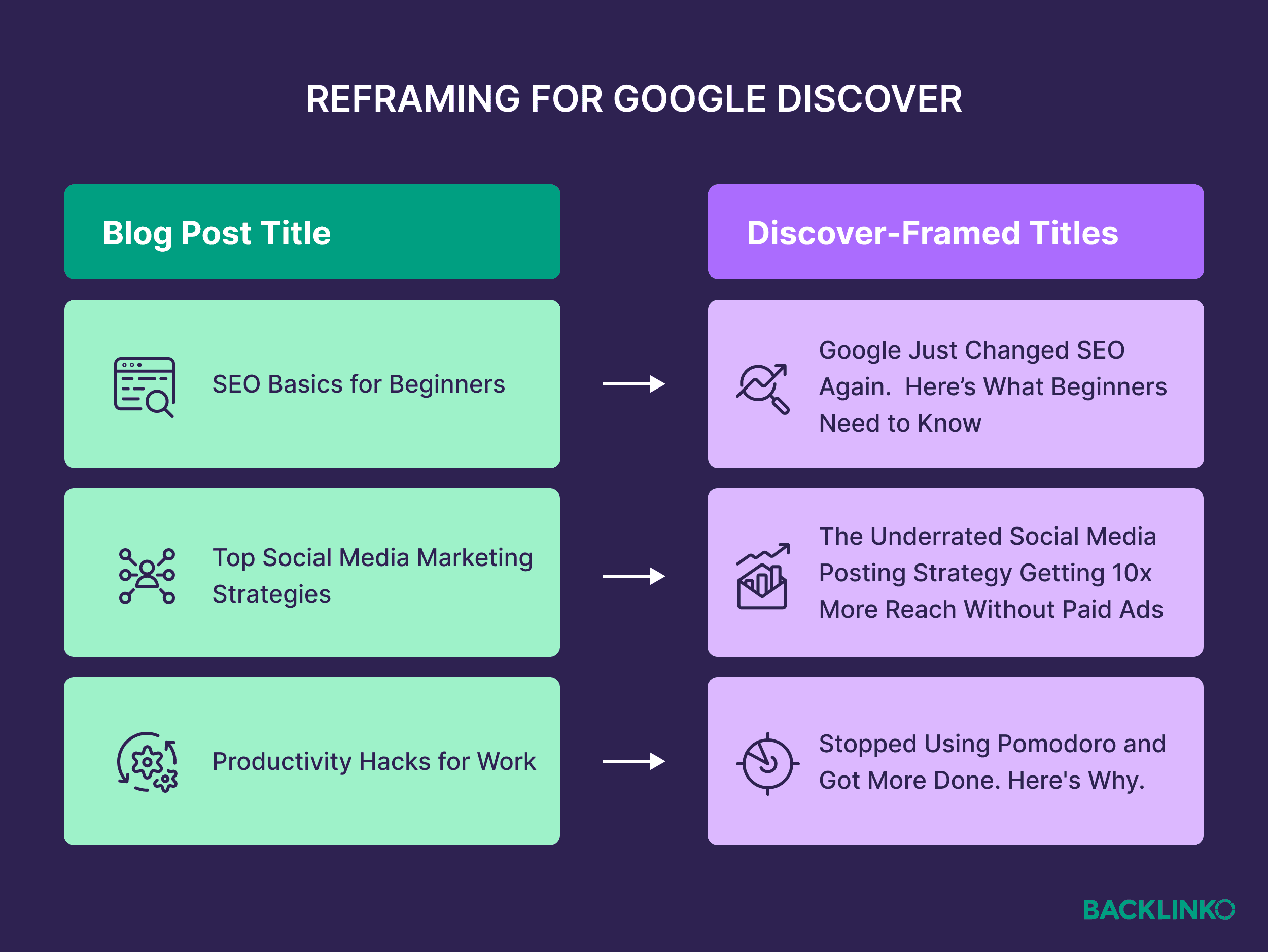
Often, this is about reframing.
Say you have content on “Email Marketing for Ecommerce.”
You could reposition that into:
“How Apple’s Privacy Updates Are Changing Email Marketing for Ecommerce.”
Here’s something you can do right now:
Open your recent posts and upcoming content calendar.
Pick one article and assess whether you can tie it to a recent change or development.
Then run it through the checklist below to evaluate its Discover potential.
Step
Ask
If Yes
If No
1. Timeliness
Can this be tied to something happening now
Move it into your Discover lane and emphasize the “why now”
Keep it in your search-focused lane. Don’t force it.
2. Headline
Does the headline communicate stakes or tension?
Tighten for feed appeal
Rewrite with clearer stakes. If none exist, it’s not a Discover piece.
3. Image
Do you have a strong 1200px+ featured image?
Confirm max-image-preview:large is enabled
Upgrade or create a better image before publishing
4. Hook
Does the first screen deliver momentum?
Lead with your strongest insight
Add a sharper opening or data point
5. Mobile
Is it easy to skim on a phone?
You’re Discover-ready.
Break up paragraphs and add subheads
Package Your Content for a Click in the Feed
In Discover, packaging decides everything.
Your featured image and headline determine whether anyone ever reaches your article.
That’s because when users scroll through the Discover feed, you’re competing for attention in a fast-moving, visual environment.
If your packaging doesn’t stop the scroll, the brilliance of your content is irrelevant. Discover traffic will not reach your page.
So when creating content for Discover, here’s what to do:
Package every Discover-targeted piece of content with a headline that conveys tension, stakes, or newness.
And pair it with a high-quality featured image with a clear focal point
Think of it like an ad.
After all, you’re not just competing with your usual competitors.
You’re competing with everything that person cares about: tech, health, finance, celebrity news, sport, and politics.
From experience, what makes me click often feels like news.
For example, I recently clicked on a Forbes article in my feed because the headline triggered a bit of FOMO.
And the image was something I hadn’t seen before.
If you want to develop a feel for this now, try this:
Open your Google Discover feed and scroll for five minutes.
Notice what makes you stop.
Look at:
The structure of the headlines
The clarity and composition of the images
The tone (urgent, explanatory, surprising, contrarian)
Then, look at one of your recent articles.
Is it packaged to compete?
Would the headline hold its own in that feed?
Would the image stop your scroll?
That’s the editorial eye your Discover content needs if you want more chances to be curated by Google.
4. Optimize for Conversions in a Zero-Click World
“Zero-click” means users get answers directly from other places without visiting your website.
This was already the case with featured snippets. Those boxed answers that appear at the top of Google results
But it’s now more pronounced with people getting answers directly from large language models.
That’s why conversion rate is even more critical for website marketing in 2026.
The people who arrive at your site are already pre-educated and further along in their decision-making process.
You want to make sure that every visitor who does arrive has every reason to act.
Prioritize Revenue per Visitor
With your visitor already pre-educated, they don’t need to browse through many pages before making a decision.
That means the moment they land, your job is to get them to the action.
Whether that’s booking a demo, talking to sales, or completing a purchase.
And the good news?
Conversion rate is something you can improve directly. Starting today.
The first step is to audit your site for barriers between interest and purchase.
The most impactful way to start is by reducing friction and anxiety.
Friction makes the process harder, like slow page speed or confusing navigation.
Anxiety makes the visitor hesitate, like a lack of trust signals or unclear pricing.
That’s where the audit comes in. Here’s how to run a quick one right now.
First, clarify your primary conversion goal.
Is it demo bookings? Trial sign-ups? Or product purchases?
Then, audit your site around that goal.
If your main objective is demo bookings, check:
Is the demo link visible across your site?
Is it clearly differentiated from other CTAs?
Does the demo page explain what happens next?
Now, if you operate in a category with skeptical buyers like finance, anxiety is naturally higher.
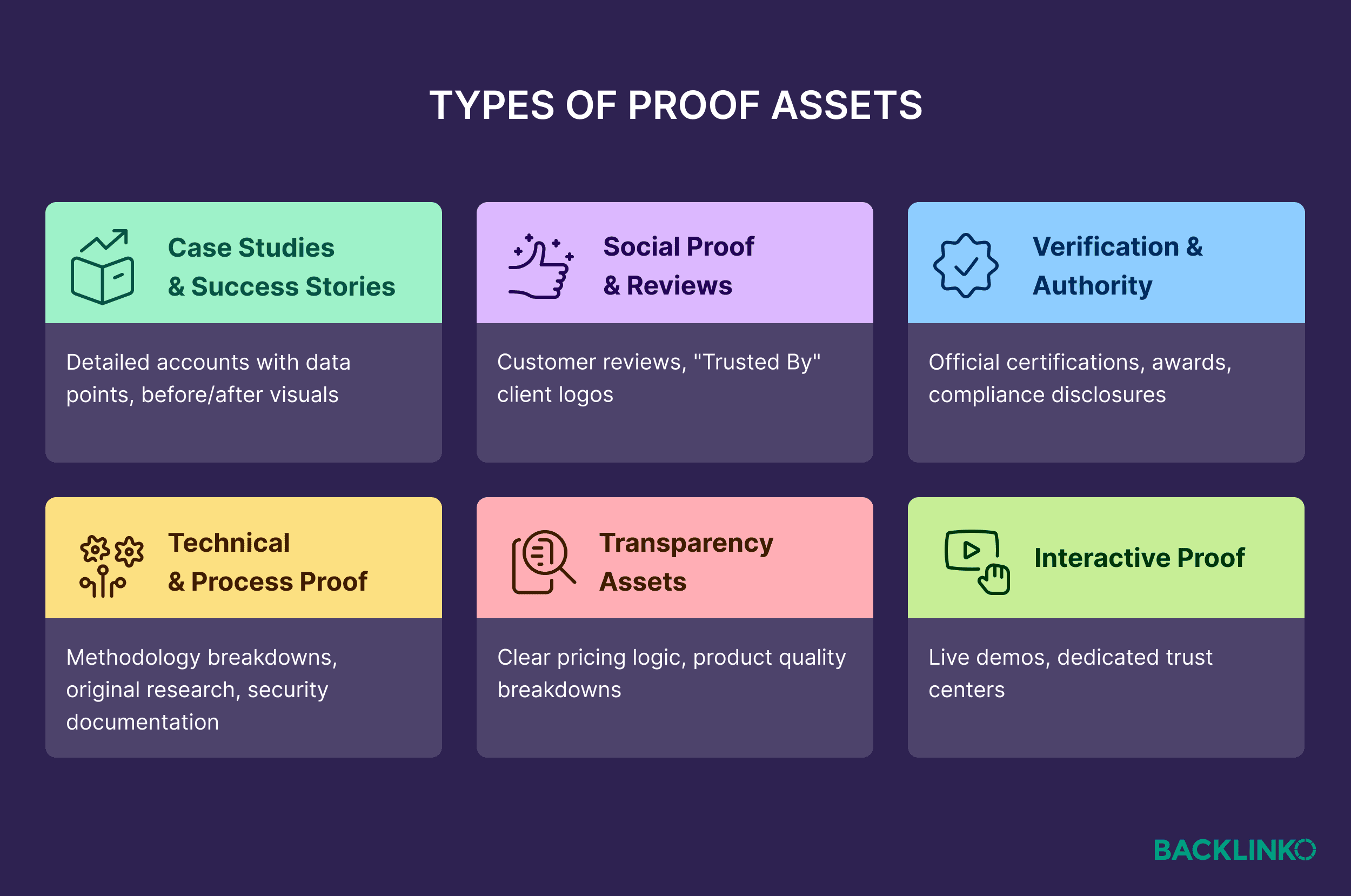
That means you need stronger assurance signals, such as security certifications, compliance documentation, and a clear process.
Whenever I audit sites, I always start with the pages closest to the sale.
That’s because these are the pages where the decision is already forming.
Plus, where friction or anxiety does the most damage.
For most ecommerce sites, that’s typically product pages and the cart.
For B2B SaaS, that could include the pricing, demo, and about page.
Use Email to Reinforce Buying Decisions
A buyer’s website experience shouldn’t end when they leave your site.
Keep that “conversation” going using email.
You do that through behavioral targeting.
That means triggering emails based on what someone did on your site.
Viewed a pricing page? Send a product comparison email with social proof
Browsed a product multiple times? Send a reminder with a limited-time offer
Started a trial? Send onboarding tips tied to the features they’ve used
In short:
You follow up while their intent is still warm.
That increases relevance and improves the likelihood that interest turns into action.
Here’s how to put this in motion.
First, check whether your email provider supports behavioral triggers tied to site activity.
Many major email platforms support this natively, including:
Klaviyo
ActiveCampaign
HubSpot
Once connected, you can trigger emails based on actions like product views, pricing page visits, trial signups, or post-purchase behavior.
For example, I bought something from Currys (a UK electronics retailer) in December.
In January, I received an email offering £10 off a future purchase.
That’s post-purchase behavioral targeting, tied to something I actually did.
It felt…personal.
And that’s not just a nice feeling. Psychologists call it reciprocity:
When a brand gives you something of value (like a personalized discount), you’re subtly more inclined to return the favor.
If behavioral targeting is new territory for you, start with one trigger.
Pick a high-intent action — say, a pricing page visit — and create a follow-up email tied to that behavior.
Keep it simple. Like a short message featuring a relevant case study or addressing a common objection.
Get that one working and expand from there.
5. Lead with Humans Behind Your Brand
The internet is awash with AI content.
Which means there’s a human premium right now, and you can claim it.
Put a recognizable voice, face, and personality behind your brand, and you stop being a stranger.
That familiarity reduces perceived risk. And reduced risk makes decisions easier.
Which means by the time someone reaches your website, the balance may already be tilting your way.
Publish Thought Leadership Content
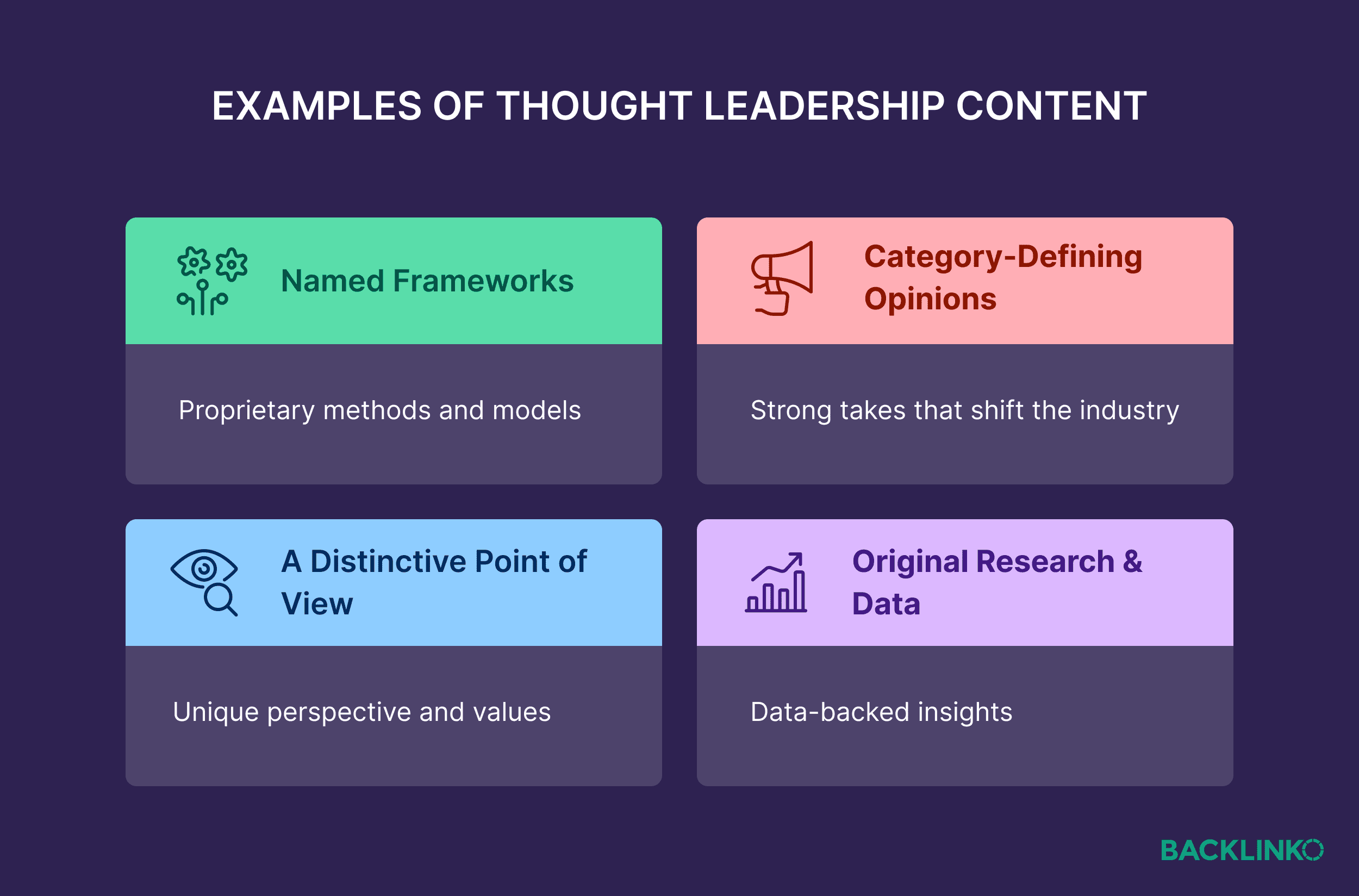
Thought leadership content shows your brand’s clear point of view on how things should be done in your category.
(And it can also add original viewpoints that AI systems may reference.)
That often includes:
Named frameworks
Category-defining opinions
A distinctive point of view
This content can live under your company name in blog posts, reports, and social threads.
But it becomes more powerful when expressed through a visible human.
They might post on LinkedIn, front your YouTube channel, or represent your company on podcasts and panels.
In doing so, they scale the human side of your brand.
To get this rolling today, start by identifying who will represent your brand publicly.
Often, it’s the founder or CEO.
Richard Branson is The Virgin Group. Noah Kagan is AppSumo. Brian Dean was closely linked with his company Backlinko, before (and after) its acquisition.
But it doesn’t have to be the founder.
Any employee can be a brand advocate if they:
Have strong domain knowledge
Can communicate clearly
Are willing to be visible
For example, Leigh McKenzie, Director of Online Visibility at Semrush, is the public face of Backlinko today.
He shows up on LinkedIn with Backlinko content, appears on the YouTube channel, and signs the newsletter.
One more important point:
Make sure there’s an obvious association between the individual and your company.
For example, their podcast appearances should reference their role. Or their LinkedIn bio should mention your brand.
Rita Cidre’s LinkedIn profile does this well.
It clearly shows her role as Semrush’s Head of Customer Education & Community..
6. Build Visibility on Third-Party Sites
Most of the trust that brings someone to your website was built somewhere else.
In a forum thread, a Reddit discussion, or a review platform.
The same is true for AI systems.
The confidence it requires to mention your brand is shaped by what they find in those spaces.
Which means website marketing in 2026 isn’t just about your turf.
It’s also showing up on other people’s.
Because if the conversation about you happens elsewhere — and it does — you want to be part of it.
The post that generates the strongest responses becomes a newsletter.
That newsletter evolves into YouTube videos and other content assets.
Now, finding the right idea is only half of it.
The other half is platform focus.
Choose two to four primary platforms.
For some teams, that might be:
Blog + LinkedIn
YouTube + Email
Shorts + Long-form video + Email
At Backlinko, we often start with long-form blog content.
Then we selectively expand strong topics into YouTube, LinkedIn, and email.
Once you know what to expand and where to take it, use AI to accelerate execution.
Claude Artifacts is particularly useful.
For example, you can upload an article and get it to turn the article into a 10-slide carousel.
From there, your options open up.
Take one slide and turn it into an image for a LinkedIn post
Edit the full set into an Instagram carousel
Or pull individual frames as talking points for a short-form video script
You’ll still need to customize it to your brand and make it your own. But it’s a great way to get you off a blank page fast.
Automate Your Website Marketing
This is the reality of website marketing in 2026:
Some of your most valuable visibility and trust-building work happens on third-party sites.
The trust you build on those platforms can highly influence how your website performs. Design your strategy around that, and you’ll see stronger results.
The good news is you don’t have to do all of this manually.
Our AI automation guide shows you which marketing workflows to automate and how you can set them up.
Backlinko is owned by Semrush. We’re still obsessed with bringing you world-class SEO insights, backed by hands-on experience. Unless otherwise noted, this content was written by either an employee or paid contractor of Semrush Inc.