Newsletter Sign Up

Backlinko readers get
access for 14 days. 55+ tools.

FREE SERP Simulator

Preview how your page will appear on Google before you publish. Check pixel-accurate title and description length, search real keywords, and compare your listing against live competitors.

Auto-fill from URLCompare vs. real results3 free daily
URL
Meta description best practices →
Advanced Options
Rich Results
How to get rich snippets →

Instantly Preview Your Google Listing

Enter your title tag, meta description, and URL, and the simulator renders a close preview of your listing based on Google's current display rules.
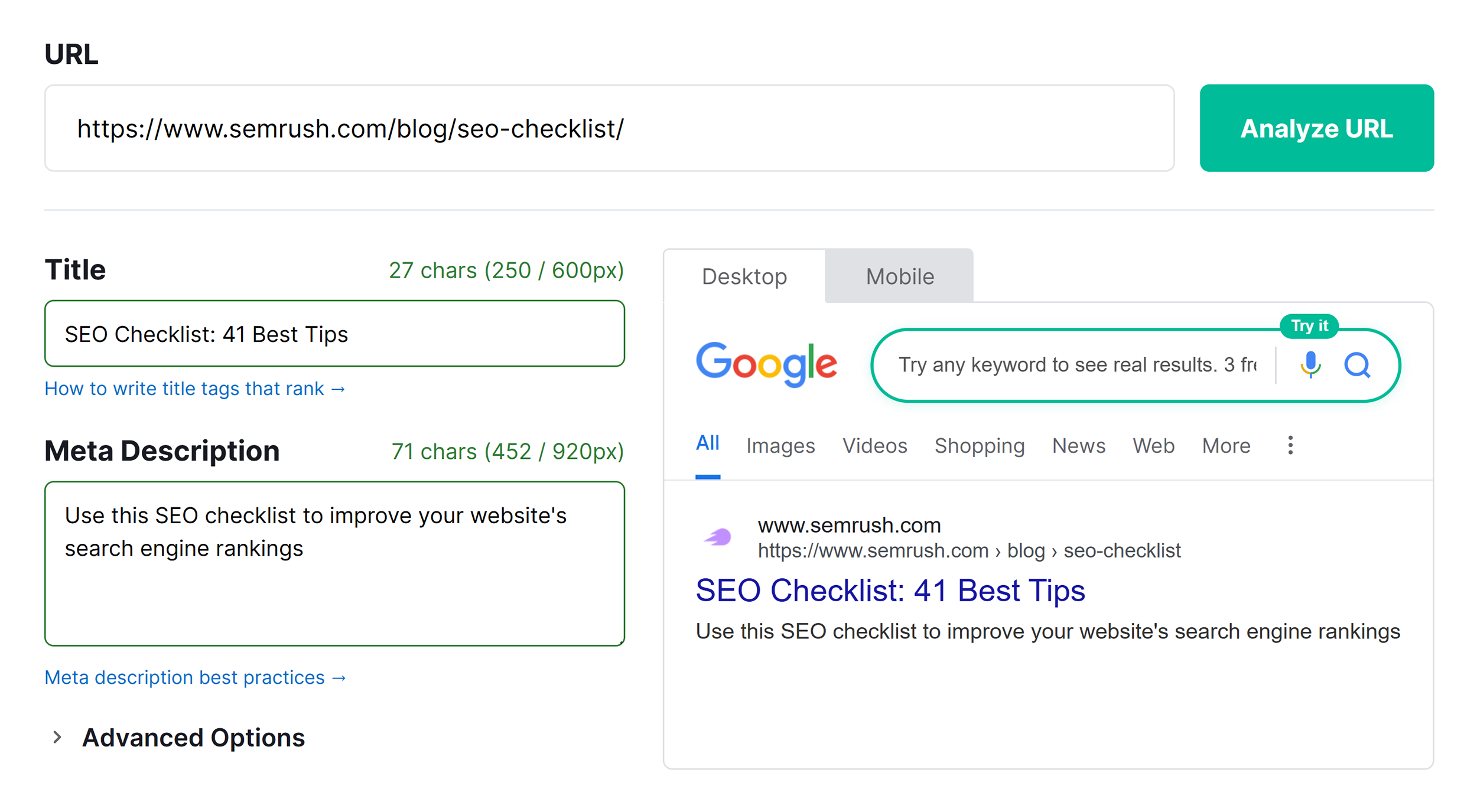
  • See changes instantly as you edit
  • View your listing with favicon and brand name included
  • Start free with no signup or limits

Search Real Keywords and See Live Competitors

Type any keyword and pull live Google results powered by Semrush data. See who ranks and how your listing stacks up.
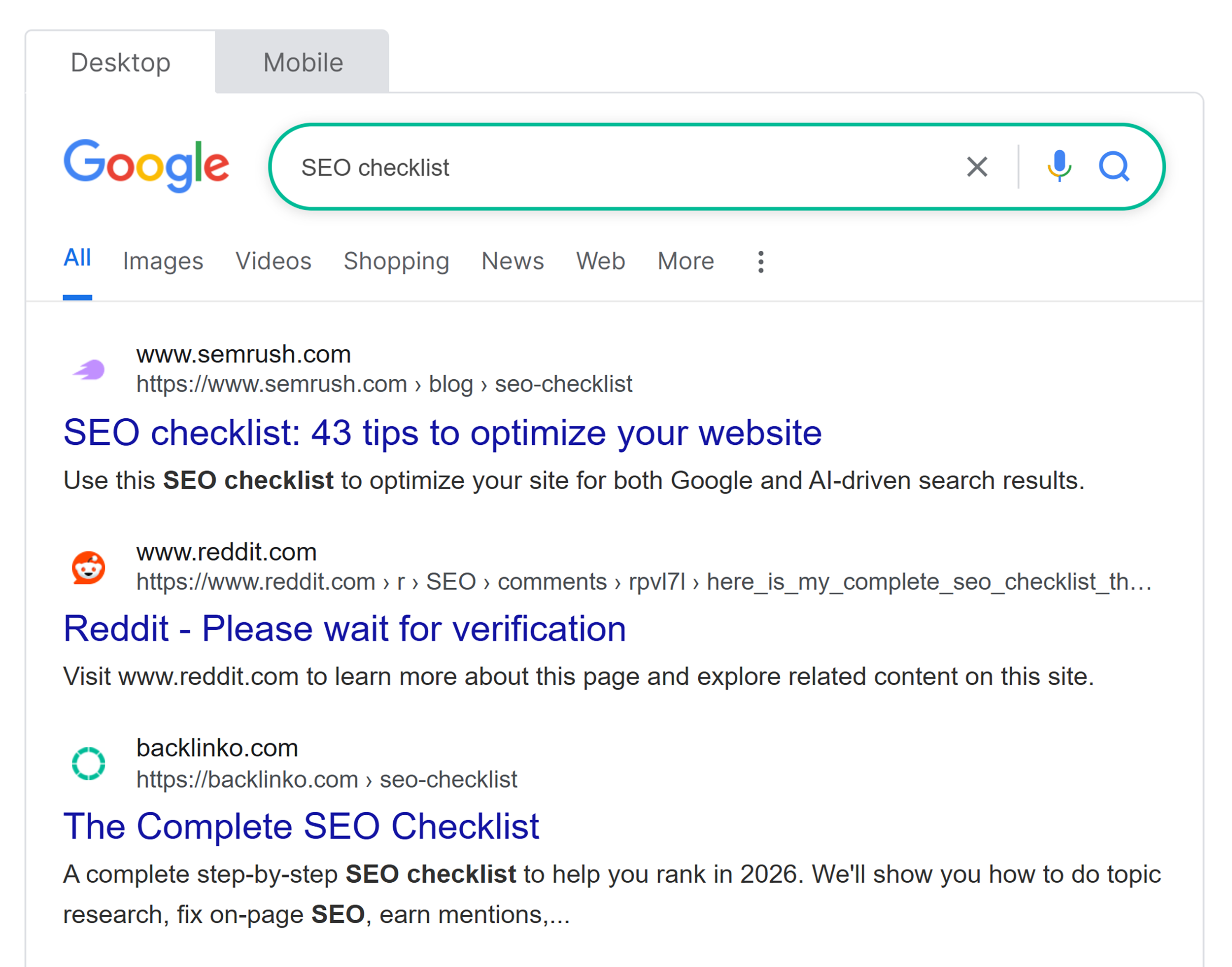
  • Search any keyword for live Google results
  • Compare competitor titles and descriptions
  • View results 6-10 with a free account
  • Get 3 free keyword searches per day

Preview Rich Snippets Before You Publish

Rich snippets add visual elements to your Google listing that can increase click-through rates and make you stand out. Toggle each one on or off to see how they change your result's appearance.
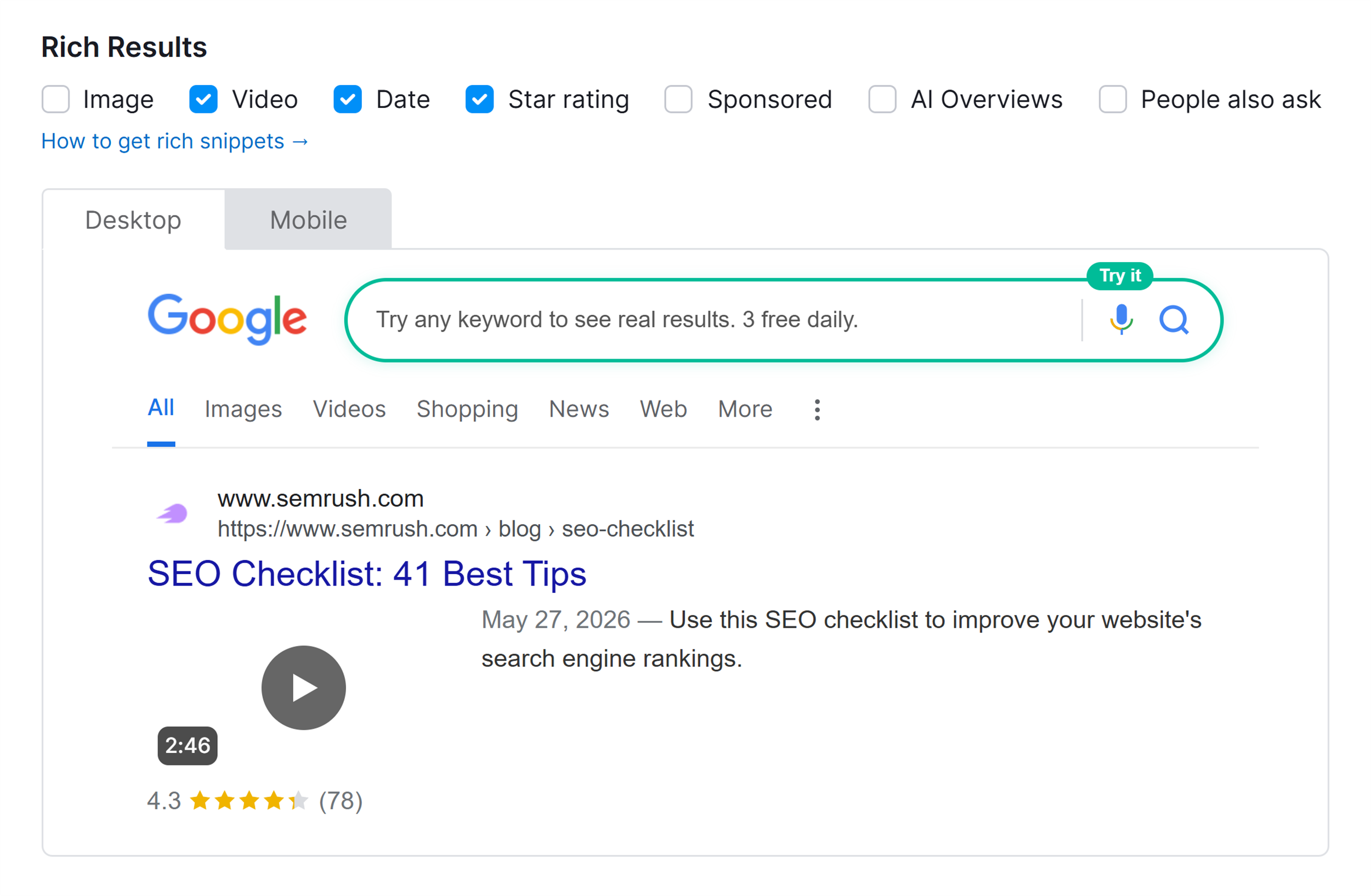
  • Toggle star ratings and review counts
  • Add image or video thumbnails to preview
  • Show date, PAA, and AI Overviews blocks
  • See how each element changes your listing

Track Title and Description Length in Real Time

Google truncates based on pixel width, not character count. A lowercase "i" takes up less space than an uppercase "W," which is why character counting alone can lead to titles that get cut off unexpectedly.

The built-in pixel counter tracks your width and changes color as you approach the limit. See green when you’re safe, orange when you’re close, or red when you’ve gone over.
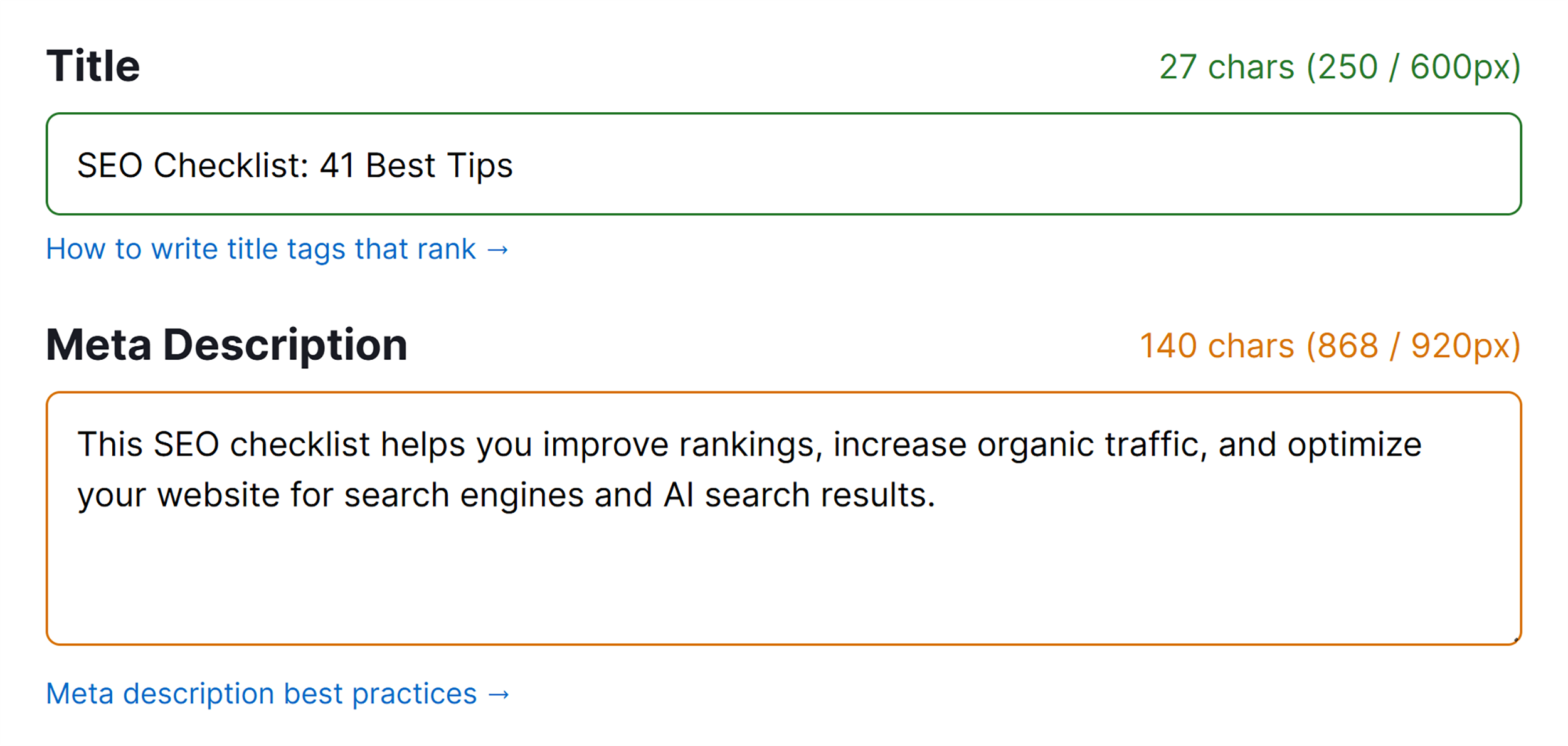
  • Track rendered pixel width, not characters
  • Check desktop and mobile limits separately
  • Use every available pixel without cutoff

Auto-Fetch, Generate HTML, and Share

Already have a live page? Enter the URL and the tool pulls your existing title tag, meta description, brand name, and favicon. Then export or share your preview with one click.
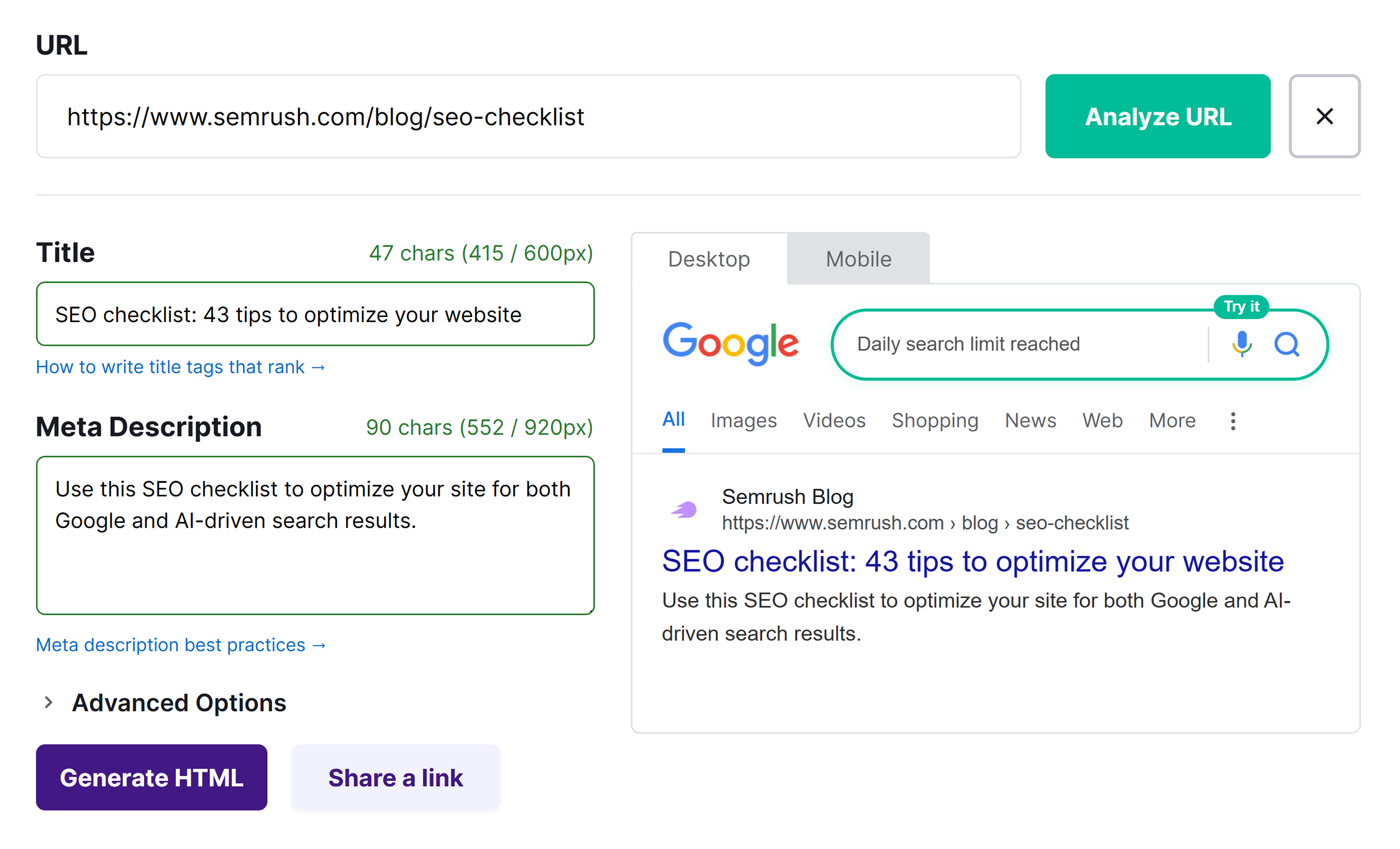
  • Fetch your live title and description by URL
  • Copy finished HTML tags to your clipboard
  • Share your preview via a single link
  • Override the brand name in your listing

Want to Go Beyond One SERP Preview?

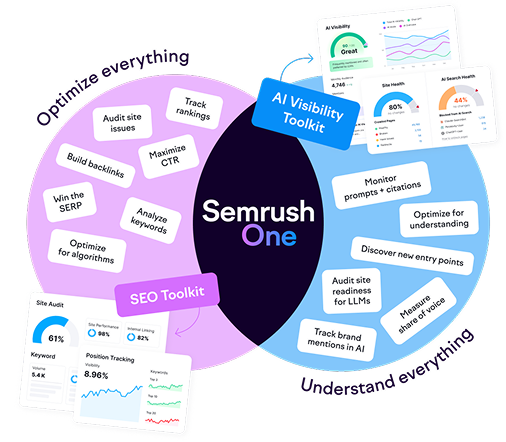
This tool helps you preview one Google listing at a time. Try Semrush One Free for 14 Days to track every page on your site across Google rankings AND in AI answers from ChatGPT, Gemini, and Perplexity.
  • Track rankings across thousands of keywords
  • Monitor visibility in ChatGPT, Gemini, and AI Overviews
  • Run a full-site audit for every page
  • Research keywords and AI prompts together

SERP Simulator FAQ

Yes, 100% free with no credit card required. The only premium feature is viewing search results 6-10 for live keyword searches, which requires a free Semrush account.

You enter a title tag, meta description, and URL, and the tool renders your listing as Google would display it on both desktop and mobile. You can also toggle rich snippets, search live competitors, auto-fetch existing pages, generate HTML tags, and share your preview via link.

The preview matches Google's current rendering rules for standard organic results using pixel-width calculations, not character counts. Google does rewrite title tags in some cases, so the actual SERP can differ, but writing concise titles that stay within pixel limits reduces the chance of rewrites.

Yes. Type any keyword into the search field and the tool pulls live organic results powered by Semrush data. You get 3 free searches per day.

No. The SERP preview, pixel counters, rich snippet toggles, auto-fetch, "Generate HTML", and "Share a Link" all work without an account. Create a free Semrush account to access 10 daily queries across keyword research, backlink analytics, competitor analysis, and site audits.

Google doesn't publish fixed limits, but Semrush recommends 50-60 characters for title tags (roughly 550 pixels) and under 135 characters for meta descriptions. The cutoff varies by device, character width, and bolded terms, so use the pixel counter to check both desktop and mobile before publishing.

This tool previews how a single listing looks in Google results. Semrush offers SERP analysis tools including Position Tracking across thousands of keywords, SERP feature monitoring, historical ranking data, and site-wide on-page SEO recommendations. Try it free for 14 days.

Use it every time you write or update a title tag or meta description. Run drafts through the simulator before publishing, and revisit existing pages when your click-through rate drops in Google Search Console.

Semrush recommends keeping titles between 50 and 60 characters, but pixel width varies by letter since a lowercase "i" is far narrower than an uppercase "W." Use the pixel counter to check your actual width rather than relying on character count alone.

Start by previewing your listing alongside competitors — if your title doesn't stand out, rewrite it with your target keyword and a clear benefit. Keep meta descriptions under 135 characters so they don't get truncated. Then toggle rich snippets in the simulator to see which elements (star ratings, images, video badges) add visual weight to your result.

Master the Search Results Page

6 Tasks
Everything from title tags to SERP features to help you win more clicks.
Read Guide
Read Guide
Read Guide
Read Guide
Read Guide
Read Guide

Go beyond previewing. Power your SEO with a free Semrush account.

  • Track your keyword rankings daily
  • Audit your site for technical SEO issues
  • Analyze competitor SERP strategies
  • Check your AI visibility across LLMs
Create Free Account

No credit card needed.

Take your
search visibility
to the next level

A unified SEO + AI Visibility toolkit to track, optimize, and win across Google search and AI platforms

Start My 14-Day Free Trial

One Solution to Win Every Search